
50 Time Saving WordPress Keyboard Shortcuts

The moment that annoys you is probably when you need to move your hand away from the keyboard to use your mouse when spends more than 10 hours per day on WordPress, and we are excited to share some useful keyboard shortcuts in this blog post and help you speed up your workflow by at least 10%!
Common WordPress Errors And How To Fix Them
While using a WordPress website, you may encounter various error messages or witness white screen there. There may be several reasons for each error, and in respect to that, there might be different solutions accordingly. Here is the list of all the error messages along with the solutions to fix them.
WordPress SEO Tips for Beginners
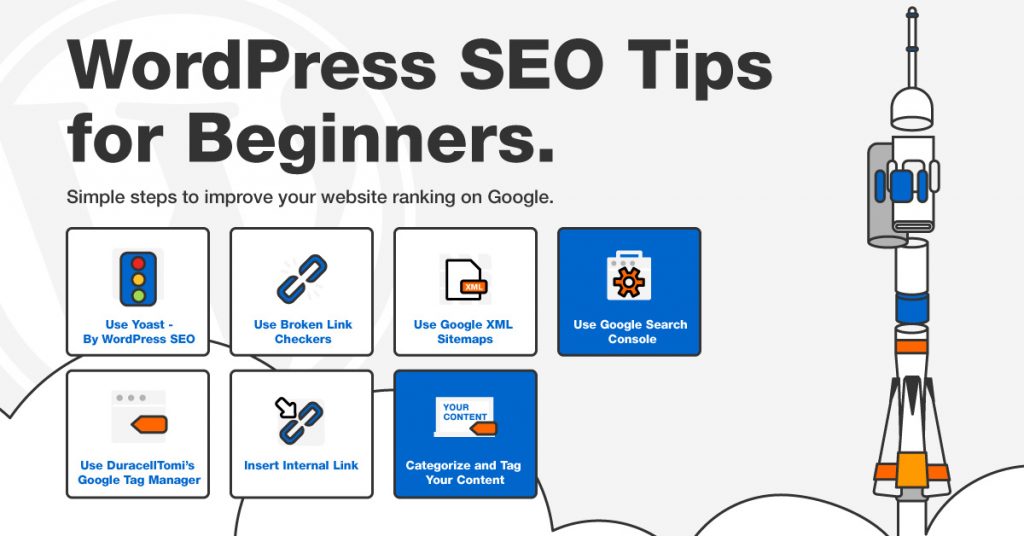
SEO is the process of affecting the online visibility of a website in a web search engine. It’s extremely important to gain organic traffic. In this article, we are going to share about SEO tips to all WordPress beginners.
7 Proven Techniques to Enhance the WordPress Security

Generally, a hacked website can lead to hundreds of revenue loss. It can also hamper your business reputation. To ensure that it doesn’t happen to you, you need to follow these tried and true tips to secure WordPress site. So, without any delay, let’s get started.
How to Optimize Your WordPress Images (And Speed Up Your Site)

Just about every website uses images. They can be an integral part of your site’s design, a complement to your content, or just there because you want them to be. The problem is, the more high quality your images are, the more space they occupy, and the longer they take to load. This can be a huge problem as a slow website can cause you to lose traffic and revenue.
How to Stop Media Files From Slowing Down Your Website with Jetpack

In this article, we’ll look at how your site’s media files can harm its loading times, and why it matters. More importantly, we’ll discuss how you can avoid this by using a CDN, such as the one included with Jetpack.
The Beginner’s Guide to WordPress Hosting
In this article, we’ll discuss the basics of web hosting by introducing the different types that are available. We’ll also discuss why you should consider using a WordPress-specific hosting plan, and show you how to find one that’s right for you. Let’s begin!
How To Marketing Your Website And Drive More Traffic

You might be producing amazing content, but if nobody knows it exists or where to find it, your work has been for naught. It’s time to do some marketing for your website and drive more traffic!
What do you need to know about Managed WordPress Hosting
One of the many options you make when selecting a WordPress hosting plan is whether to use managed or unmanaged hosting. However, what do these terms mean, how are they different, and which is best for you? In this article, we’ll compare the options and help you pick the one most suited to your requirements.
7 TIPS TO SPEED UP YOUR WORDPRESS WEBSITE. [INFOGRAPHIC]
Struggle with slow WordPress loading speed? This 7 essntial tips will help you to blow up your WordPress loading speed dramatically.