
While using a WordPress website, you may encounter various error messages or witness white screen there. These errors do not depend wholly on the coding that you have adopted for your website or your web hosting server. However, there may be several reasons for each error, and in respect to that, there might be different solutions accordingly. Here is the list of all the error messages along with the solutions to fix them.
403 Forbidden Error

Usually, 403 forbidden error appears when the user is a novice to WordPress, and the security plugin is configured very poorly. Not only this but sometimes WordPress hosting company can make some changes without any prior notice, then also you can encounter 403 Forbidden error. There can be different scenarios for display of this error including access denied on WordPress login page, wp-admin page, access denial on the installation of WordPress, or visiting any WordPress site page, etc.
How to fix it?
- You can begin the process of fixing 403 Forbidden Error with deactivation of all the WordPress plugins along with the security plugin. If you can get the resolution this way, then you can activate the plugins one by one and can figure out which plugin was causing it.
- Another reason can be incorrect file permissions, for which you can seek the help of your hosting provider. Otherwise, you can change the permissions for your website.
- If the problem is due to the corrupt .htaccess file, then you must try connecting your website with FTP client and then locating the file and then you can make a fresh .htaccess file in permalinks option present in website settings.
Database Connection Error
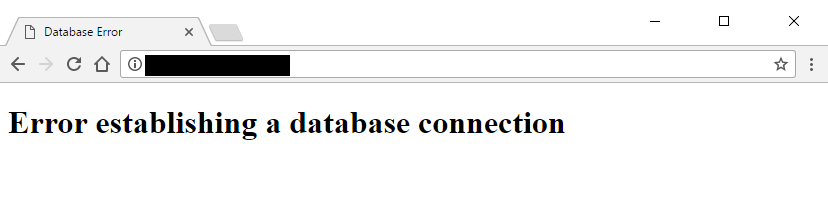
Sometimes, WordPress becomes unable to build a database connection due to various reasons. Usually, the beginners face such issues at a high rate because of incorrect login credentials or due to any corruption in the database. When there is the installation of any incompatible or damaged plugin, then the hosting servers perform very low. Due to which, you can encounter the database connection error.
How to fix it?
-
- On the very first note, you must check whether your database is okay or not, and if it shows any error, then you can repair it by going to wp-admin.php file. Here, you need to enter a code “define( ‘ WP_ALLOW_REPAIR ‘, true );. With this code, you can get an optimized database. After this, you must navigate to www.yoursite.com/wp-admin/maint/repair.php, and then click on repair and optimize button successfully.
- For another reason, you can change the database login credentials, and you need to login into your PHP My admin account where you can make the desired changes.
Fatal Error

When the WordPress update gets failed in between, then you encounter Fatal error saying Call to Undefined function is_network_admin(). This error message generally appears when you have updated your WordPress website, and then you have entered login credentials to log in into the WordPress website.
How to fix it?
- If you face Call undefined Fatal error, then you must try manually updating your WordPress site because there will be fewer chances of any glitch or corruption in the files.
- For this, you can download the latest file and then unzip the downloaded folder. After this, you must make it sure that you have backed up your WordPress and all its files and then change the name of your WordPress. For the next step, you need FTP as you will have to upload wp-includes and wp-admin directories to a web host with the help of FTP. At last, you can copy wp-content files from new to an old folder by replacing and overwriting those files. Remove the .maintenance file from the directory and upload the latest version of the left files.
PHP Memory Limit Error

As the name indicates, PHP Memory Limit error message appears when there is memory exhaustion in the working of your website. In actual, every web hosting server needs some memory with which they can install and run the features or plugins required for the smooth working of a website. The memory allocated by PHP is not unlimited but specific. If WordPress coding becomes unable to manage with already provided memory, then exhaustion occurs, and an error message appears.
How to fix it?
- Firstly, do the editing of the wp-config.php file present in the folders of your WordPress site. Then, use FTP client or file manager and paste a code in your wp-config.php. The code is “define( ‘WP_MEMORY_LIMIT’, ‘256M’ );. Then move the wp-config.php file to the hosting server again. That’s how the problem will be solved in seconds.
White Screen Of Death
The most annoying WordPress problem is the appearance of the white screen of death where you cannot find any options on the screen even to change the settings. It might be happening due to exhaustion of memory or due to improper coding of the website. Otherwise, your hosting provider can also be at fault.
How to fix it?
-
- If the white screen is due to memory exhaustion, then you must try your level best to increase PHP memory limit.
-
If still, the problem persists, then you can deactivate all your plugins to find the dysfunctional plugin. Also, clear the cache so that you can solve your problem on the fingertips.
-
In any case, you are still encountering the same issue; you should replace the existing theme of your website.
Conclusion
We hope that we have listed out all the common WordPress errors and the solutions are worked for you. If the issue still exists, you may seek for help from your hosting provider. Feel feel to comment below about any horrible experiences you have had with WordPress and how you fixed them.